How to Use CareFinder: A Step-by-Step Guide
CareFinder is designed to make finding a trusted sitter simple and efficient.
Even though the platform may look like it has many steps at first, most users find that once they start using CareFinder, the process is smooth and intuitive.
Below is a step-by-step guide to help you get started.
1. Post a Job
To begin, click the Post a Job button.
On mobile, this button appears as a blue button (as shown in the screenshot).
On desktop, the button appears as a pink button.

2. Job Details Popup
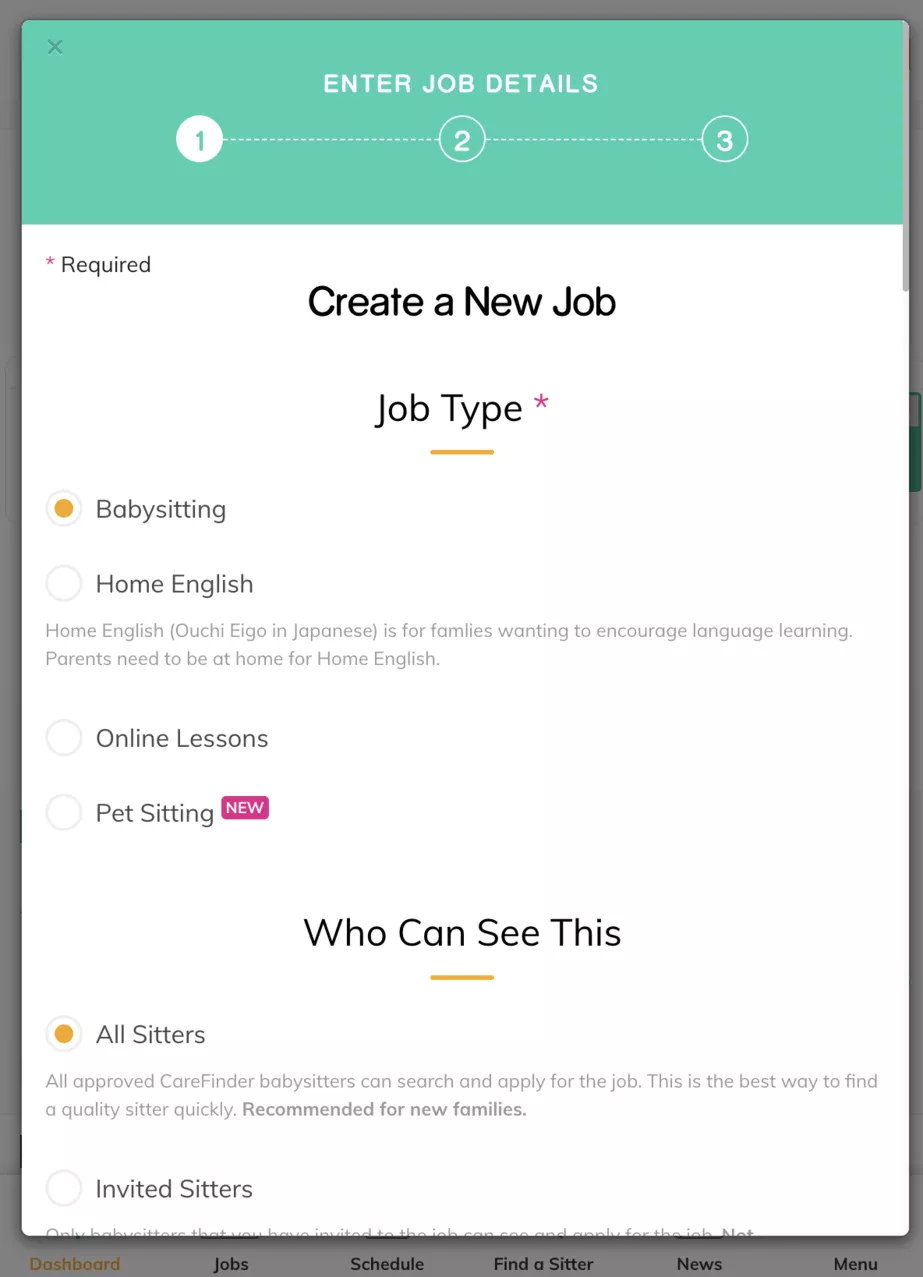
After clicking Post a Job, a popup window will appear where you can enter the details of your job.
Select the Job Type
First, choose the type of job you are posting (babysitting, home English, online lesson, pet sitting, etc.).
Job Visibility
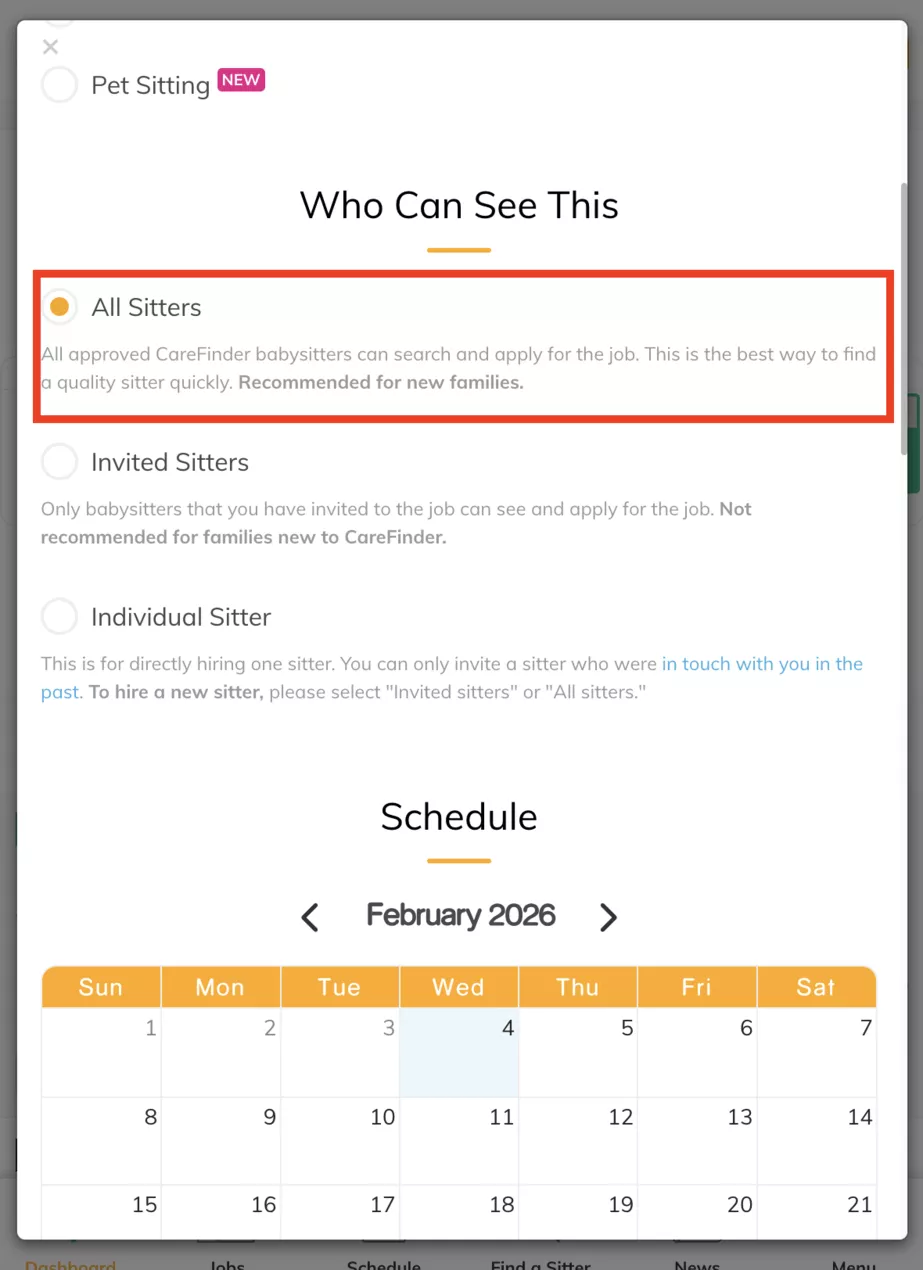
Next, select who can see your job.
If you are new to CareFinder, we recommend setting the visibility to “All Sitters” to receive more applications.
Schedule
You can choose from:
A single sitting
Multiple sittings (different dates and times)
Regular sittings (a repeating schedule, such as the same day and time each week)
If you are unsure of the exact dates, you can:
Enter a future date, and
Explain in the description that the schedule is flexible.
3. Write the Job Description (Important)
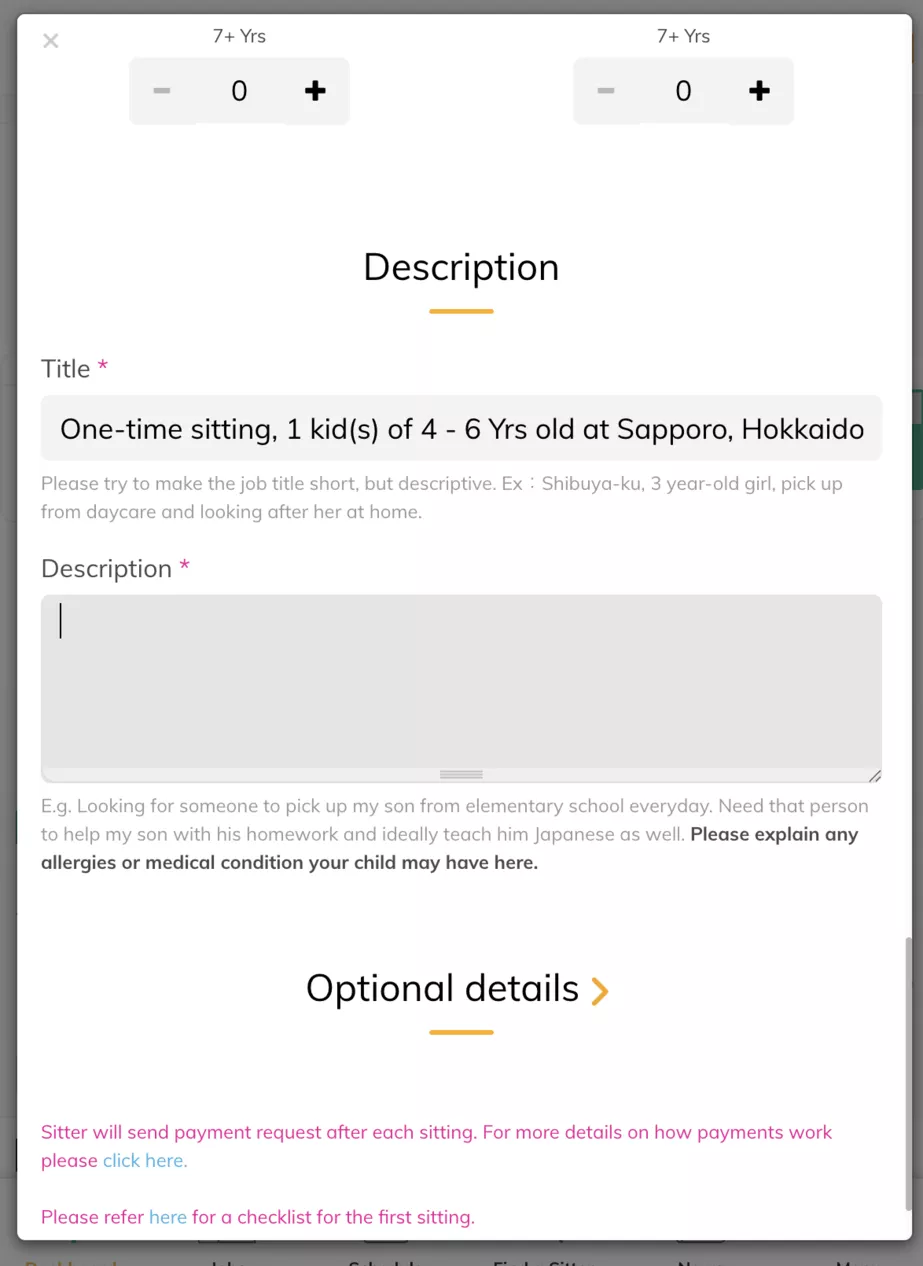
The job description is the most important part of your post.
Think of it as your introduction to sitters.
If the description is too short or vague, sitters may hesitate to apply.
If it is too long or detailed, it may feel overwhelming.
We recommend writing a few clear sentences that explain:
What you are looking for
Your child(ren)’s age
Any key needs or expectations
Once sitters apply, you can discuss details further through chat.
4. Confirm Job Details
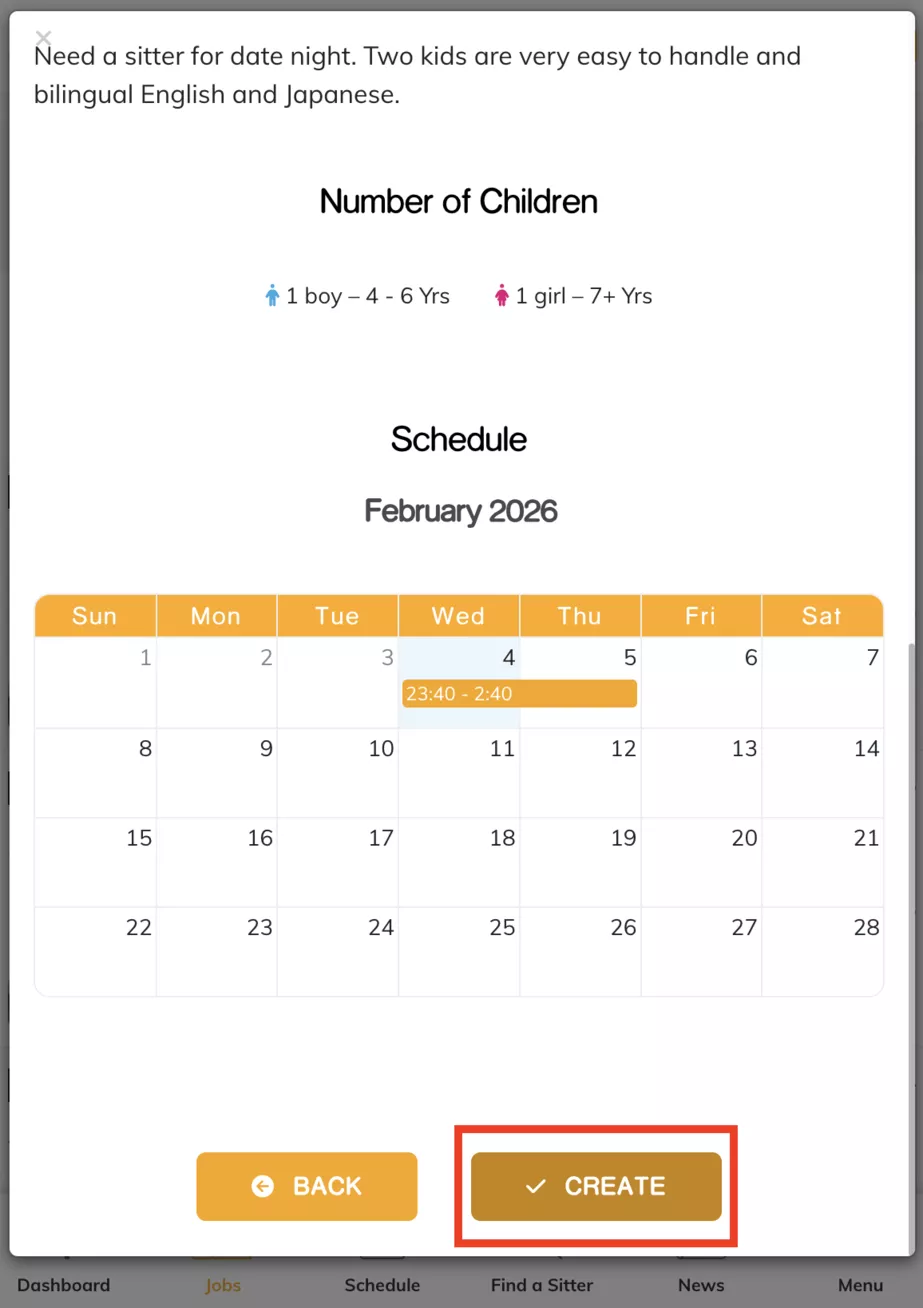
After entering your information, you will be taken to a confirmation screen where you can review all job details before posting.
5. Invite Sitters (Optional)
After posting your job, you can:
Invite specific sitters directly, or
Wait for sitters to apply on their own.

Inviting sitters can be helpful if you already see profiles you are interested in.
6. Sitters Apply to Your Job
Sitters who are interested will apply to your job.

You can chat with sitters who applied to:
7. Chat With Sitters
Ask questions
Confirm availability
Make sure they are a good fit for your family

All communication should remain on CareFinder.
8. Send an Offer
Once you decide which sitter you would like to hire, click Send Offer.
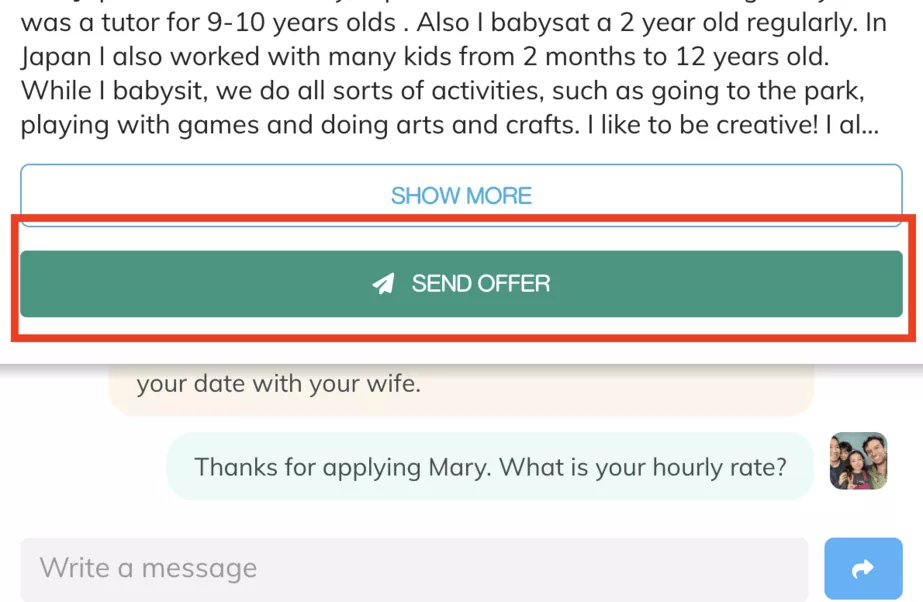
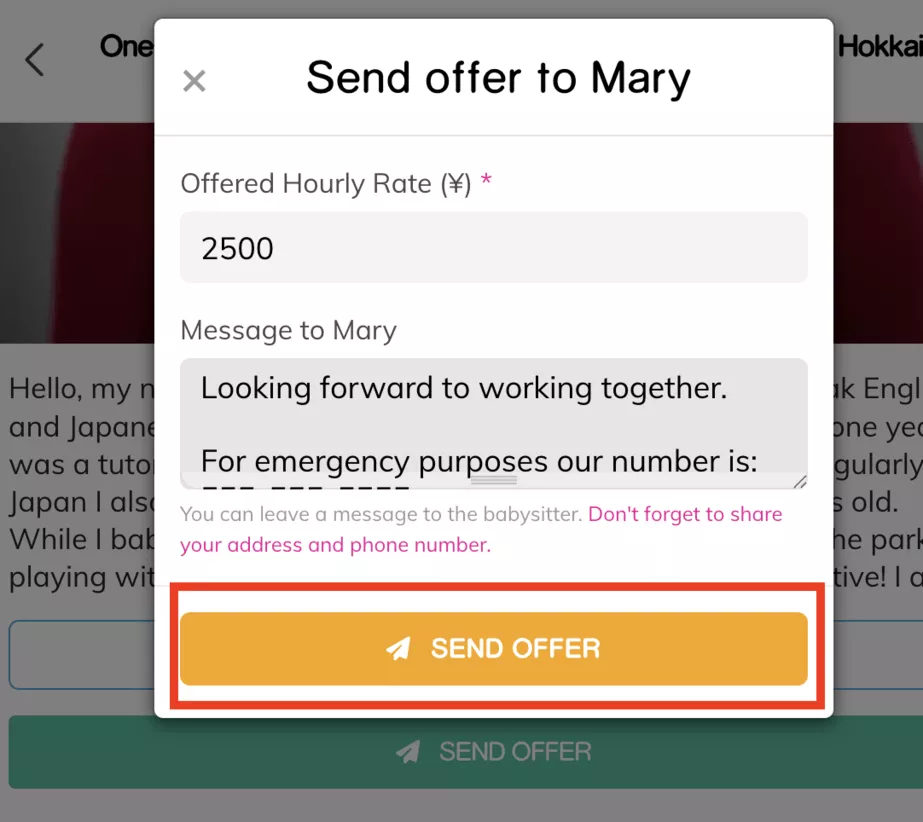
At this stage:
Share the address of the sitting
Exchange phone numbers for emergency use only
Please note:
Phone numbers are for emergencies only
All other communication must remain on CareFinder
9. Job Is Scheduled
Once the sitter accepts your offer, the job status will change to Scheduled and the sitting is officially booked.

10. Payment After the Sitting
After the sitting is completed:
The sitter will submit a payment request
You have 24 hours to confirm or dispute the payment
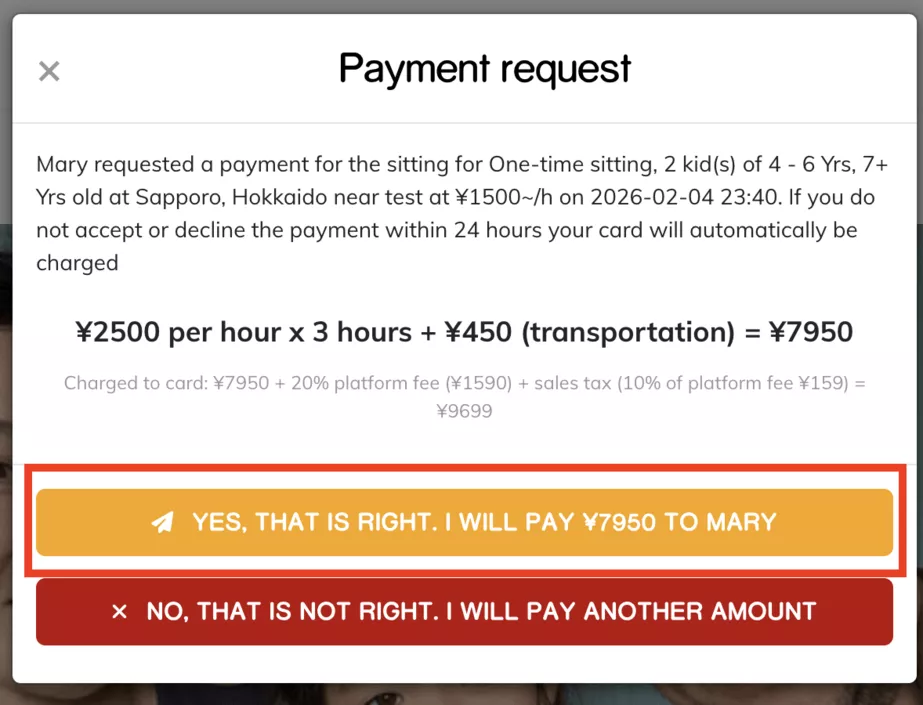
If no action is taken within 24 hours, the payment will be automatically processed.
Final Tip
If you ever feel unsure at any step, the CareFinder team is here to help.
We’re happy to support you in finding the right sitter for your family.