How to Cancel Jobs & Sittings
In CareFinder you can cancel individual sittings or an entire job.
Cancelling an Individual Sitting.
1. Open the job which has the sitting you want to cancel.
2. Click the Edit button at the top of the job.

3. Scroll to the schedule & Click on the sitting you wish to cancel.
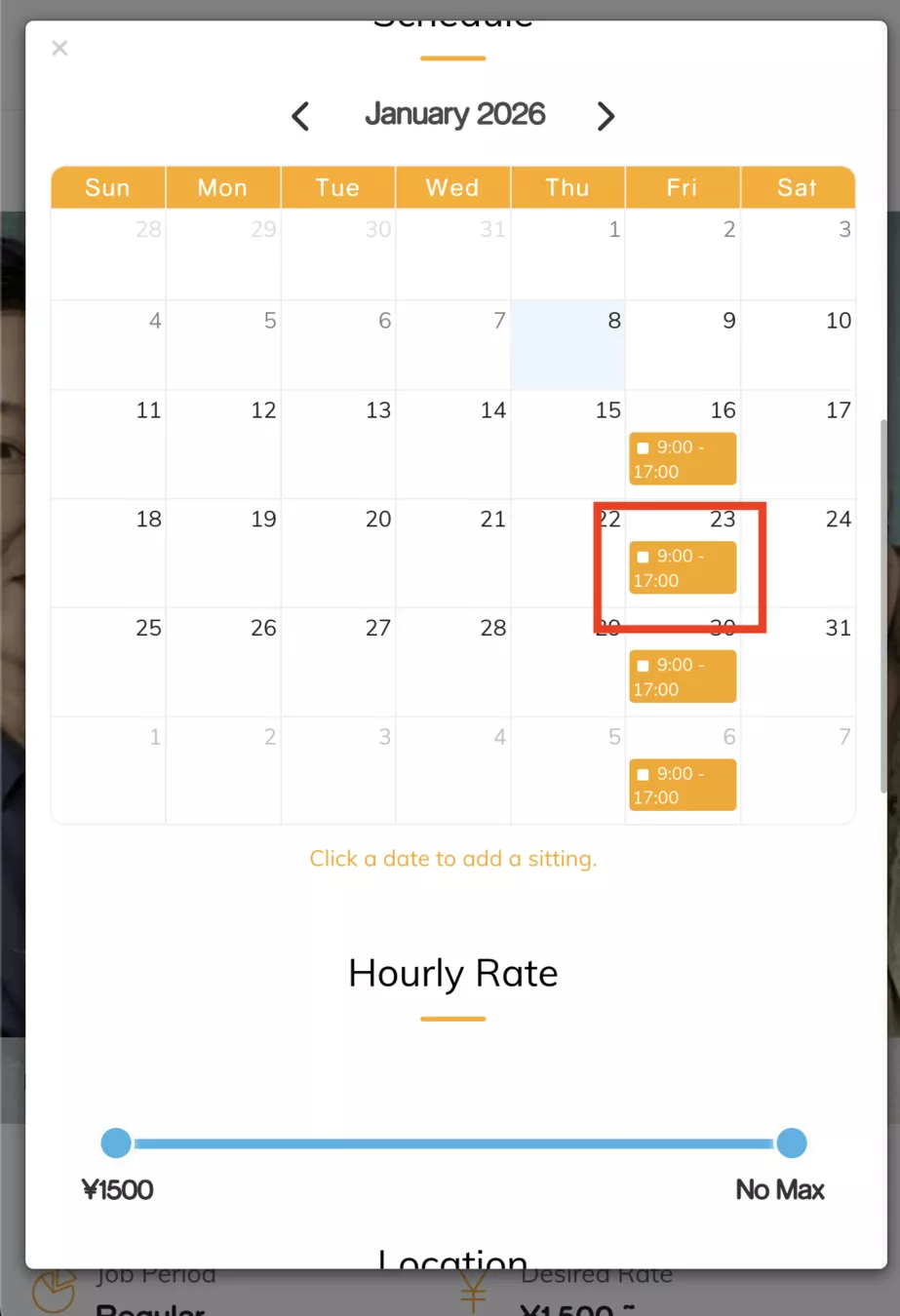
4. On the popup click “Delete” to delete the sitting.
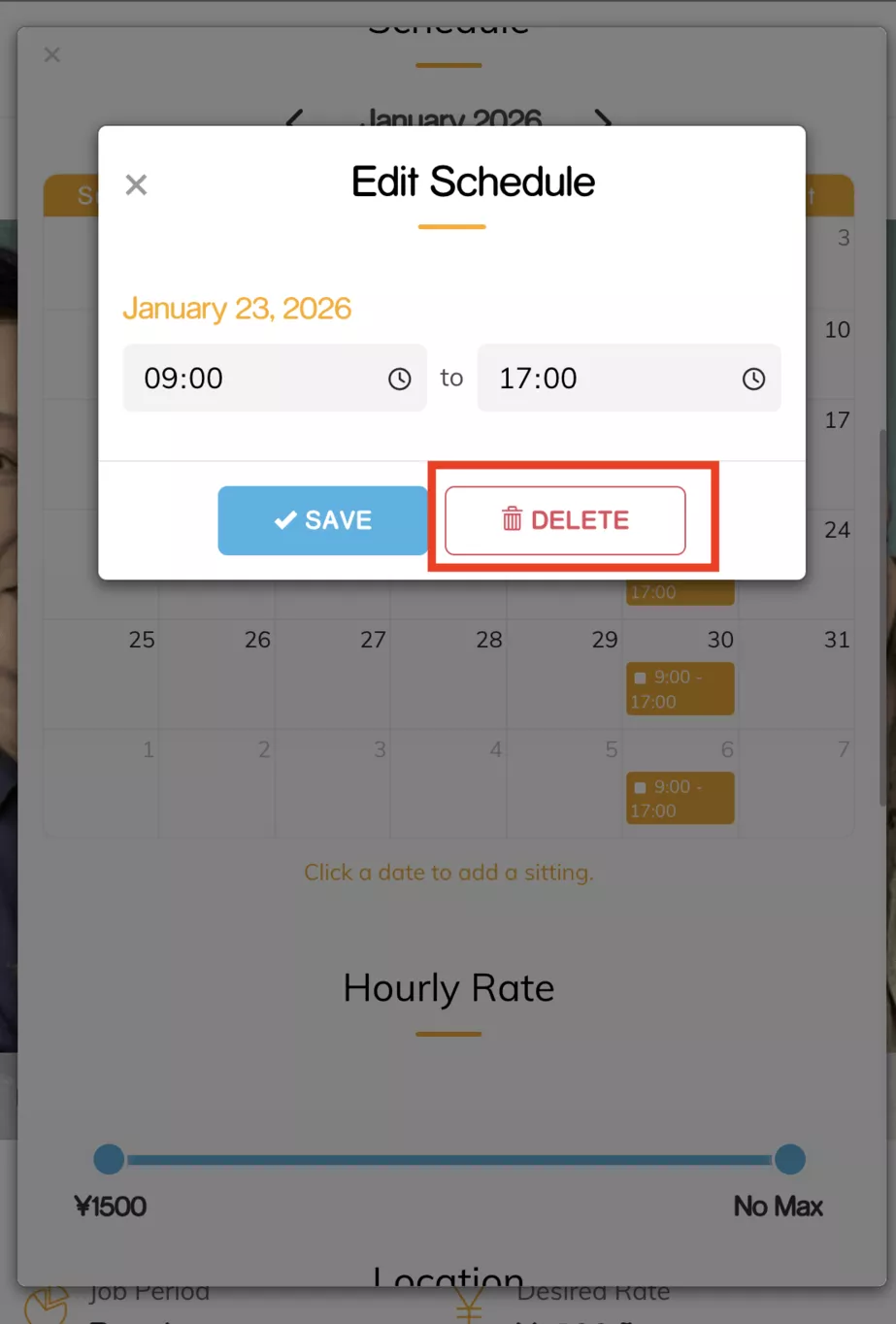
5. Once the sitter approves this deletion the individual sitting will be canceled.
Cancelling the Entire Job
1. Open the job
2. Click on “Cancel” at the top of the job.
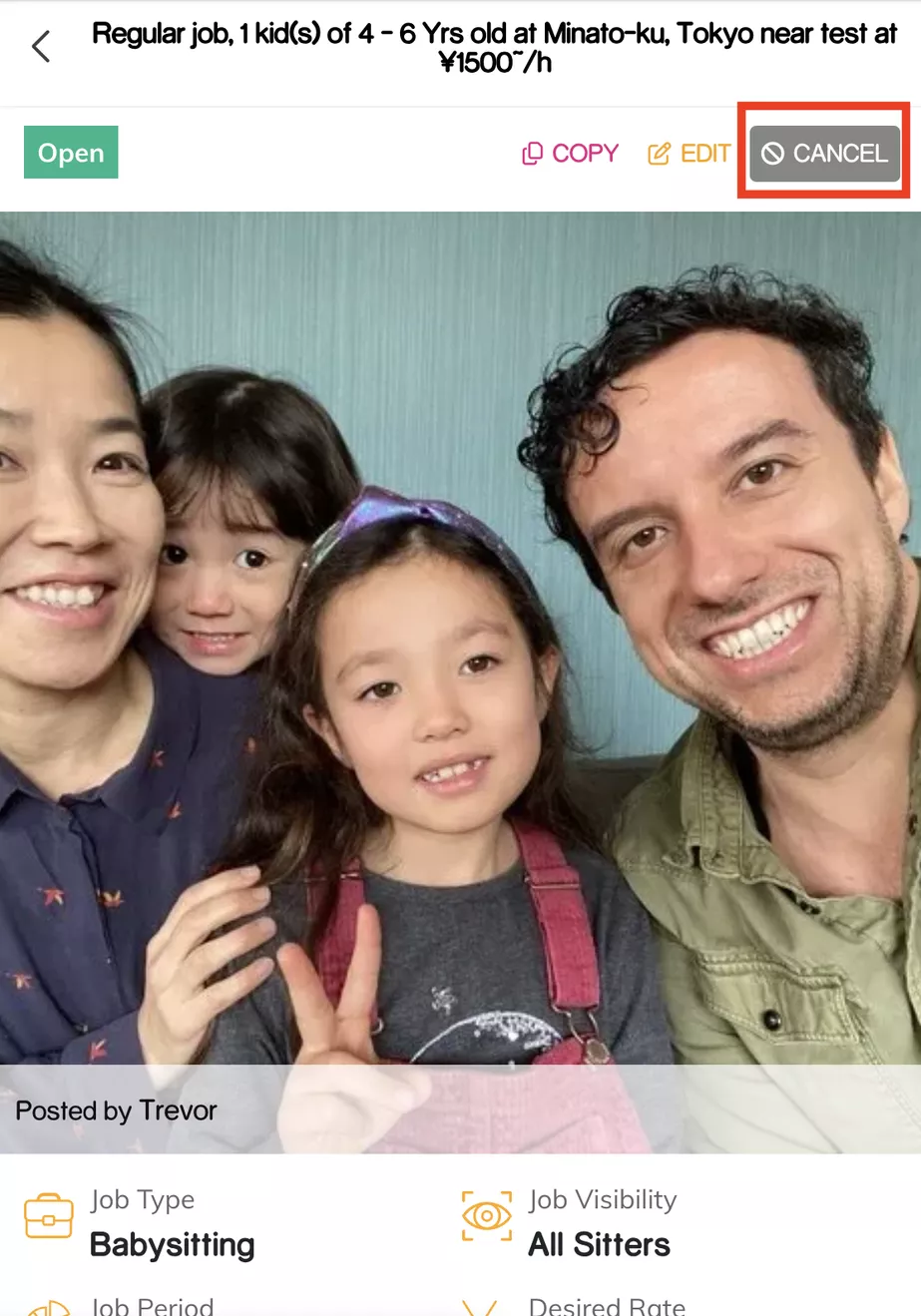
3. Once the sitter approves the cancellation the entire job will be cancelled.
Please keep in mind that the sitter may have a cancellation policy inplace. If you cancel within 48 or 24 hours of the sitting you might be charged a cancellation fee. For details please refer to the sitter's profile.